
Start with the address
Type in the address from the listing. MapView shows you the basics straight away: bedrooms, bathrooms, car spaces, the land size in square metres, and a photo of the place.
It takes seconds, and it’s often enough to tell you whether the inspection is worth the drive.
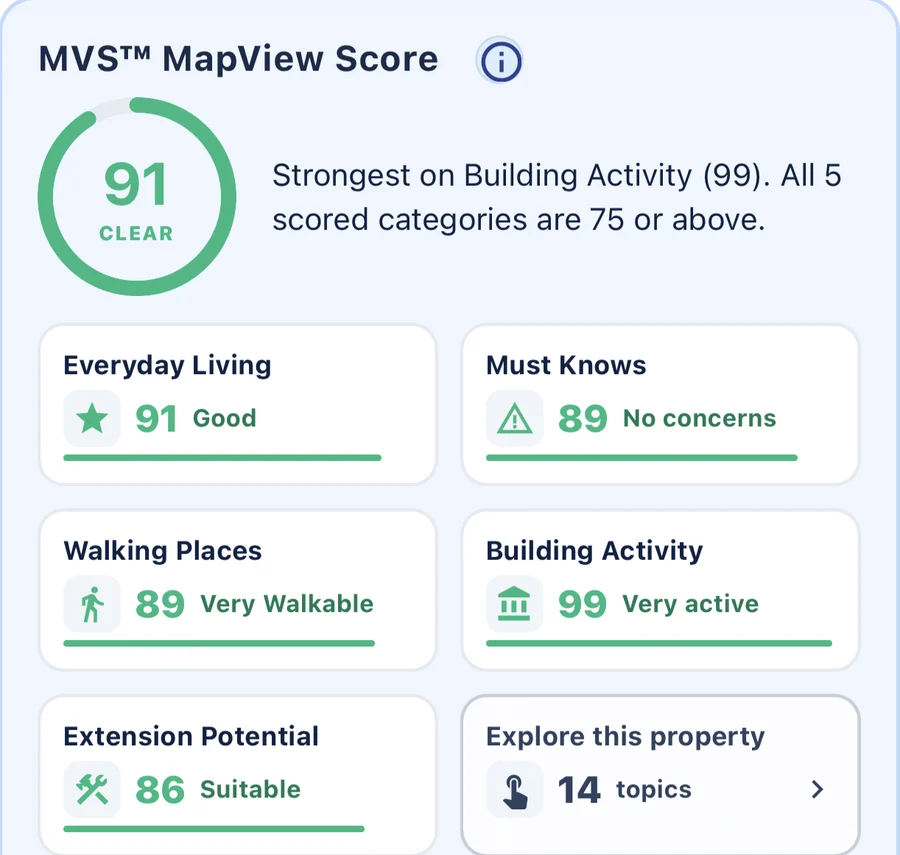
One score to start with
Every property gets a MapView Score out of 100, made up of five parts: Everyday Living, Must Knows, Walking Places, Building Activity and Extension Potential. It shows at a glance where a home is strong, with a one-line summary of its best category.
See it from above
The property is outlined on the map, so you can see exactly where the block sits, the shape of the land, and what’s on either side of it. It’s the view the listing photos never give you.
See what’s around it
- List shows other homes around the address, so you know what you’re comparing against.
- Near looks up the places around it.
- Walking Places scores how walkable the area is.
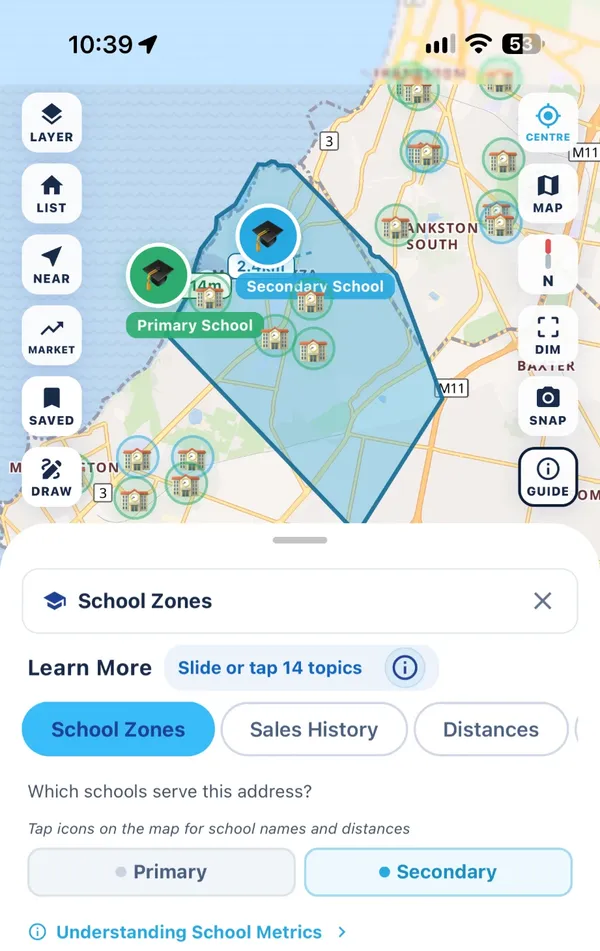
- School Zones shows which primary and secondary schools the address is zoned for, with the catchment drawn on the map.
- Distances draws a line to the nearest train station, bus stop, hospital and shops, with how long it takes to get there.
- Suburb, Demographics and Crime & Safety are among the 14 topics you can explore for every property.

Keep a shortlist
Tap Save on each home you like, so they’re all in one place and the details don’t blur together after a weekend of open homes.
Free to start
All of this works in the free app, with some limits on the free plan.